Expedia.com hotels landing page
Redesigning a landing page from the ground up, helping hundreds of millions of people finalize their travel plans

My Role
Lead UX Designer –
Interaction Design, User Flows,
Rapid Prototyping
Platform
Mobile and Desktop Website
Timeline & Status
8 Weeks –
Currently in evaluation phase
Summary
I redesigned a scalable template for Expedia's "Hotels in [Destination]" landing page.
This is Expedia's highest-trafficked and highest-profiting landing page, accounting for over 65% of all landing page revenue across Expedia Group brands.
The goal of this redesign is to increase conversion rate and customer acquisitions.
PROJECT CONTEXT
The entry point to Expedia's ecosystem
Expedia has four main page types. Landing pages serve as the entry point to their ecosystem, and have two goals:
Landing Pages
Product Pages
Blogs & Guides
Search Result Pages
Progress users down product funnel
Landing pages on Expedia are designed to capture the attention of visitors and encourage them to explore the website further.
Help users discover travel options
Landing pages often feature stunning images of travel destinations, promotions, and search widgets for users to start searching for flights, hotels, or vacation packages.
PROBLEM
High bounce rate and a low conversion rate
This page is being used by hundreds of millions of travelers but it isn't doing a good job of addressing their wide range of needs, as a result, it has a high bounce rate and a low conversion rate.
In the past, the emphasis of this page was SEO optimization, my team was the first to look at it from a user-centered perspective and consider ways to improve it.
SOLUTION
Empower users to learn about destinations, and finalize their travel plans
I took a Human-Centered approach to make this page better suited to its visitors. My goal was to create a solution that helped users in 4 key ways:
Finalize their travel destination
Access relevant information
Progress down product funnel
Stay in Expedia's ecosystem
Content strategy
Make informed decisions on the content that should be included to address the user's intent when searching "Hotels in [Destination]".
User research
Validate my decisions based on prior research findings related to user needs, desires, and tendencies.
Engineering
Understand the feasibility of my designs with load times being the main focus.
RESEARCH
Analyze the competitors' landing pages
For the first step of the redesign, I performed two types of competitive analyses: Content Type and Content Hierarchy. For both of these, I looked analyzed how our competitors addressed the search query of "Hotels in Seattle".
Content Type Analysis
Content Hierarchy Analysis
Content Type Analysis
Make informed decisions about the content to include on the page
For this analysis I Google Searched "Hotels in Seattle" and navigated to the landing pages of five different Expedia competitors. I also looked at Expedia's current solution, as well as two comparative sites.
I worked with the content strategy team to create a list of content types to analyze each page for. For each content type I would generate a score based on the number of competitors that featured it on their pages, these scores ranged between 0 and 5. Based on the score I would either recommend on not recommend that type of content.
There are some exceptions to this rule though. "Local transit info" scored a 0/5, however, prior user research indicated it was very valuable to users in this instance, so I recommended it.

Content Hierarchy Analysis
Make informed decisions about the prioritization of page content
This analysis focused on how our five competitors organized and prioritized their content. The main factors I looked at were:
Content included above the fold
Placement of Primary, Secondary, and Supplementary content in their page hierarchy. These types of content represent various degrees of addressing the users' intent when searching "Hotels in Seattle".

Takeaways and key points
Primary Content tends to be prioritized on the page located above the fold.
Supplementary Content was located towards the bottom of the page.
Half of the pages had content to help the user learn about their destination, but this was located towards the bottom of the page.
WIREFRAMES
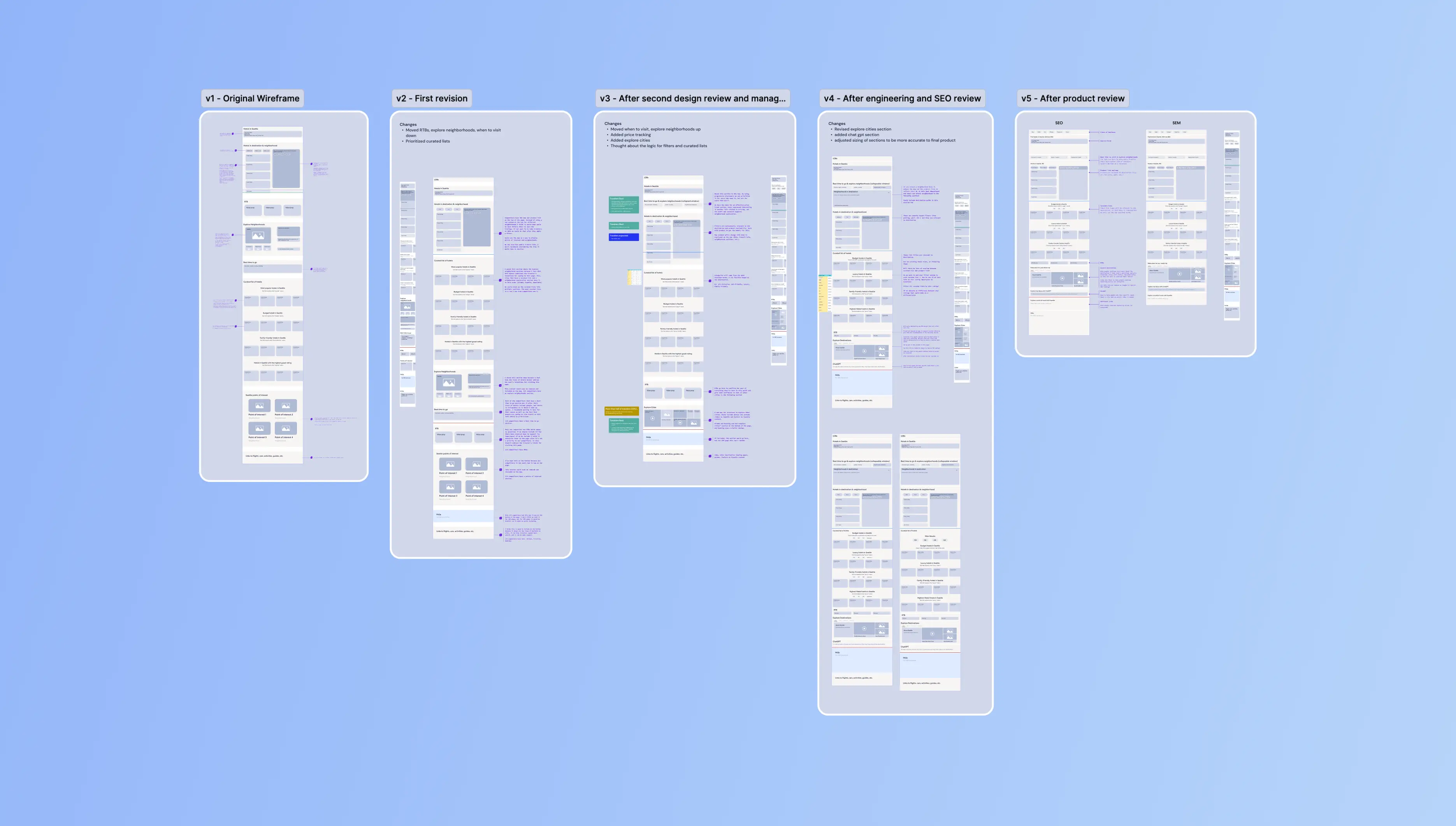
After initial research and discussions, I finalized the content to include on the page and generated wireframes to reflect this. I presented these wireframes in multiple design reviews and received valuable feedback from designers, researchers, content strategists, and engineers.
Through five iterations of wireframes, I was able to finalize the hierarchy of content as well as the user experience for each interaction on mobile and desktop pages.
Goal: Finalize Hierarchy
Goal: Refine Interactions
Throughout this process, the wireframe went through multiple iterations as I presented it to other designers, researchers, engineers, and product teams. Different types of annotations were used to highlight research points, interactions, and other details.
This section was prioritized at the top of the page address the fact that 55% of users are still undecided on their destination.
By placing this at the top of the page we ensure the the large population of travelers who need additional info can access it, but by using progressive disclosure we allow people to skip over this section if they don't need it.
The green line on the mobile wireframe represents the "above the fold line".
User research indicated that people valued Points of Interest, Public Transit Routes, and other geographic info when deciding on their travel destination. We decided that this content was best placed on an interactive map, and due to its high desirability, we placed it towards the top of the page.
Product lists were placed at the top of the page since that directly addresses the search query of "Hotels in [Destination]". We show a condensed list of hotels to keep the page scrolling minimal, as well as help guide people down the product funnel to the Search Results Page, where they get an even more detailed view of hotel listings.
The blue line on the desktop wireframe represents the "above the fold line".

These product lists change for every location to reflect different characteristics of the destination. For example, the "Hotels in Miami" landing page would have a list of "Beach-Side Hotels".
When designing this section I worked closely with engineering teams to ensure page load times weren't negatively affected by the large amount of content in this section. To meet these needs I limited the number of listings included in the initial load, and we removed the star rating filters as we moved to high-fidelity designs.

Once users reach this point of the page, we assume they are still undecided on their destination. To prevent them from leaving the page, we included two sections that will address any unanswered questions:
The "Explore Destinations" section displays other cities with similar characteristics. For example, if the original search was "Hotels in Seattle" this section would provide travel info on Portland, San Francisco, and Vancouver, BC. This will help keep travelers in the Expedia ecosystem, while allowing them to expand their search.
Following that we included Expedia's ChatGPT integration. This will allow travelers to ask any specific questions they may still have, while still remaining the Expedia's ecosystem.
Beneath the red line we included content that doesn't address the search query of "Hotels in [Destination]". This content is here to improve SEO ranking therefore it is deprioritized and placed at the bottom of the page. Additionally, this landing page will initially be launched as an SEM page, so for that, we will remove the content below the redline.

HIGH-FIDELITY
Increase the fidelity and share with stakeholders
After many rounds of iterating on the Low-Fi wireframe, I upped the fidelity by using components and principles from Expedia's design system. I created prototypes to demonstrate how all the components interacted with each other, and how animations could be used to make the user experience seamless. This helped me convey my ideas to other stakeholders clearly and effectively.
The High-Fidelity wireframes helped me get specific and targeted feedback during design reviews with stakeholders. I was able to improve the interactions, hierarchy, and design of many aspects of the page; as well as gain a better understanding of how this page affected the business goals of the company.
Here are the 5 core design changes, if you don't have access, I have included detailed descriptions without images right below the password field.
This section was prioritized at the top of the page since 55% of users were still undecided on their destination. However, since it didn't directly address their search of "Hotels in [Destination]", we made this module collapsable so the other 45% of travelers can skip over this section.
There were two main changes to this section in this phase. The first was increasing the size of the hero image above this module. Initially, we made the hero image small to reduce the amount of scrolling, however, user research indicated that large hero images are valuable and increase conversion rate, so we made it large.
The other change was removing the "explore neighborhoods" tab. We decided that section was better suited on the map due to the visual information it required. Moving it to the map also appeased the engineering teams since they expressed concerns regarding the load times if it remained on this page.
Brand new map functionality
Two main features were added to the map: "Explore neighborhoods" and Geographic Info.
The "Explore Neighborhoods" interaction highlights the core neighborhoods in a destination, allowing users to see the boundary, hotels in that area, and other relevant info.
We designed a new interface to display geographic info, users can now customize the map's informational overlays. We added points of interest and transit lines, aligning with the user research findings regarding desirable info.

It was important to have the top of this section above the fold since this is the content travelers expect to see when visiting this page. To achieve this we made compromises to the components above to make them take up less vertical height.
This product list features 15 hotel listings. The filters at the top adapt and be more relevant to location and its characteristics.
At the bottom of the product list there is a link that takes travelers to the entire search result page, progressing them further down the product funnel.

These product lists change for every location to reflect different characteristics of the destination. For example, the "Hotels in Miami" landing page would have a list of "Beach-Side Hotels".
When designing this section I worked closely with engineering teams to ensure page load times weren't negatively affected by the large amount of content in this section. As a result we reduced the number of lists to three to help page load times.

When refining the "related destinations" section we used a media carousel as that was the best way to showcase images and videos. We also added the "know for" indicators to allow for quick scanning.
Beneath that, we included the Expedia ChatGPT integration to answer any remaining questions users may have.

Since I was working with a short time frame, I prioritized mobile designs since those get more traffic. However, before my internship ended I presented a desktop version of the design to help my team get started on the next phase.
NEXT STEPS
Evaluate desirability and effectiveness
The main next step for this project is to test all facets of the design. Research teams will need to test the desirability and effectiveness of the page content and interactions, and engineering teams will need to test the performance and load times of the page.
This will be implemented as an SEM page as a way to generate significantly more traffic than an SEO page generating tons of user data to be used for improvements.
Once this page is implemented for Expedia Brand, this templated will be used as the landing page for other Expedia Group brands like Hotels.com and VRBO.

Jewell Rutledge